Your whole pantry, counted
Staples, dairy, cleaning supplies — anything you restock. Quantities stay current as you order and use things up.
Stoq learns how fast your home actually gets through things, counts down the days each item has left, and tells you before you run dry.
Free · Android · Use your Play Store email so we can add you

Scan to installOpens Google Play
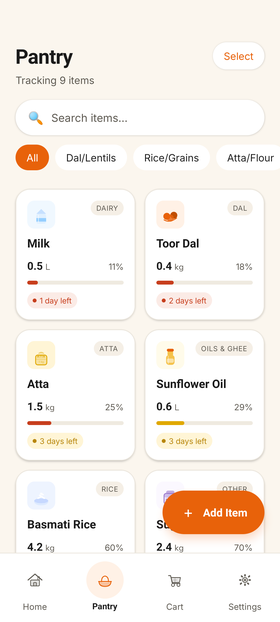
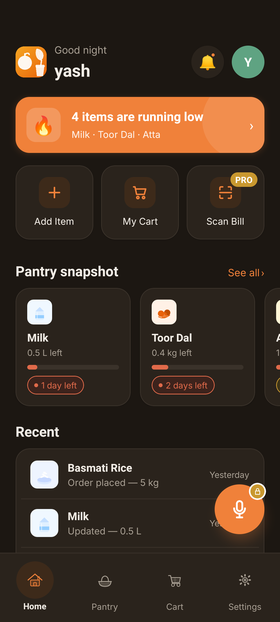
Add what you keep stocked with a quantity and a unit. Pick from a catalogue or type your own — it takes a couple of minutes, and you only do it once.
Every time you reorder, it learns a little more about your pace. Not a guess or a fixed schedule — a real countdown per item, from your own habits.
A notification arrives while there's still time to act, even with the app closed. You decide how many days of runway you want.
Opens your delivery app with the item and brand already searched. Add to cart and carry on.
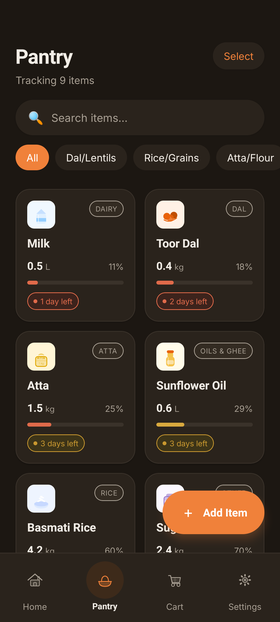
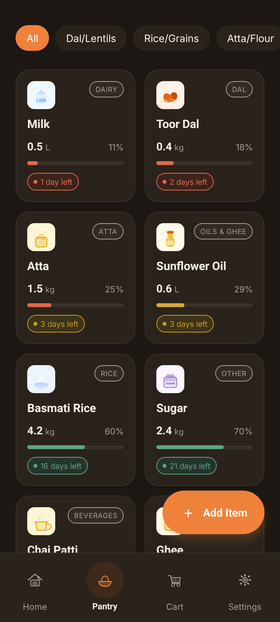
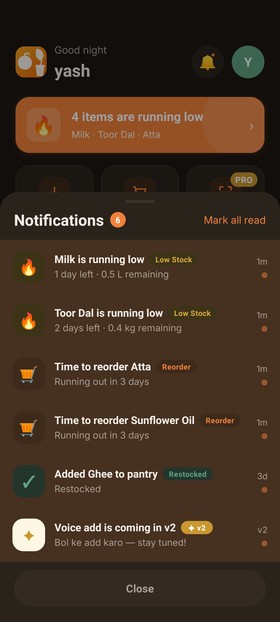
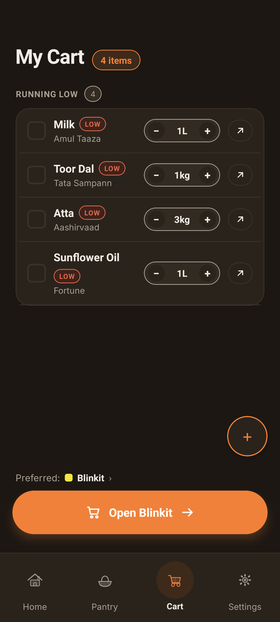
A shopping list tells you what you wrote down. Stoq tells you what you're about to run out of — because it's been counting since your last order.
Simple on the surface. Doing arithmetic underneath.
Staples, dairy, cleaning supplies — anything you restock. Quantities stay current as you order and use things up.
Learned from your ordering pace, not a fixed schedule.
A notification before you run out, even with the app closed.
Opens your delivery app with the item already searched.
Switch language any time in settings.
No ads. Nothing sold. Usage analytics you can switch off in one tap, and delete everything whenever you want.
It learns from how often you reorder each item. After a couple of orders it works out a daily usage rate and counts down to a predicted empty date, shown as days left on each item.
It needs at least one purchase to learn your pace. Order it once, or mark it bought, and predictions start from the next order onward.
Blinkit, Zepto, Swiggy Instamart and BigBasket, with your item and brand pre-searched. Stoq doesn't take a cut of anything you buy.
Yes. Pantry tracking, predictions and one-tap reorder are free. Voice add and bill scanning are planned as paid extras later.
In your own private account, synced across your devices. You can export it to a spreadsheet, or permanently delete everything including your account, from settings.
Stoq keeps an eye on the shelf so you don't have to. Closed beta opening soon on Android.
Free · Android · Use your Play Store email so we can add you
Scan to installOpens Google Play